Before you ever spend a dime on new safety tech or write a single new procedure, let’s talk about the foundation. The most common mistake I see is companies jumping straight to solutions without first defining what they’re actually trying to solve.
To truly monitor a safe workplace, you have to move beyond just reacting to incidents. It starts with a solid framework built on clear goals and metrics you can actually measure. Think proactive strategies, like setting targets for daily check-ins or slashing emergency response times. This initial planning is what makes sure every tool and process is laser-focused on getting real, life-saving results.
Establishing Your Safety Monitoring Framework
Before you can build anything, you need a blueprint. A vague goal like “improving worker safety” is a nice sentiment, but it doesn’t have the teeth to drive real change. Your first real task is to translate that broad ambition into concrete, measurable objectives that fit your specific operation.
If you need a reminder of the stakes, just look at the numbers. Every single day in the US, an average of 385 workers die from workplace hazards. That’s a gut-wrenching reality. Based on 2023 data from the latest Death on the Job report, traumatic injuries claimed 5,283 lives, while occupational diseases took an estimated 135,000 more. That’s a total of roughly 140,000 deaths a year.
Those numbers are a direct call to action, especially for managers in high-risk industries where lone workers are out there without immediate backup.
From Vague Goals to Concrete KPIs
To build a powerful program, you need to define your Key Performance Indicators (KPIs). These are the hard numbers that tell you whether your safety efforts are actually moving the needle.
KPIs generally fall into two buckets:
- Lagging Indicators: These are your rearview-mirror metrics. They track what’s already happened—things like incident rates, injuries, and lost workdays.
- Leading Indicators: These are your forward-looking metrics. They measure proactive safety activities designed to prevent incidents before they happen. Think safety observations, training completion rates, or hazard reporting.
A strong program needs a healthy mix of both. For instance, a construction firm will always track its Total Recordable Incident Rate (a lagging indicator), but the real progress comes from also monitoring the percentage of daily equipment safety checks completed (a leading indicator).
Part of any comprehensive plan must also include detailed fire and life safety guidance, ensuring your buildings and emergency protocols are airtight.
Key Takeaway: In my experience, the best safety programs are obsessed with leading indicators. While tracking incidents is a must for compliance, it’s the proactive efforts that stop those incidents from ever occurring.
To help you get started, here is a table outlining some of the most effective KPIs to track.
Key Performance Indicators for a Workplace Safety Monitoring Program
| KPI Category | Metric Example | What It Measures |
|---|---|---|
| Lagging Indicator | Total Recordable Incident Rate (TRIR) | The number of work-related injuries per 100 full-time workers over a year. |
| Lagging Indicator | Lost Time Injury Frequency Rate (LTIFR) | The number of injuries that resulted in time away from work. |
| Leading Indicator | Safety Training Completion Rate | The percentage of employees who have completed required safety training on time. |
| Leading Indicator | Near-Miss Reporting Frequency | The number of reported near-misses, indicating a proactive hazard identification culture. |
| Leading Indicator | % of Safety Observations Completed | The rate at which scheduled safety walks, audits, and observations are performed. |
| Leading Indicator | Corrective Action Closure Rate | The speed and effectiveness of closing out identified safety issues. |
Balancing these metrics gives you a complete picture of both your past performance and your future risk, which is exactly what you need for continuous improvement.
Defining Your Operational Objectives
Once you know what kind of metrics to track, you can set objectives that are specific to your work environment. Look at your daily operations. Where are the real risks? Are your people working at heights, dealing with hazardous materials, or alone in remote areas?
Let’s take a utility company with technicians in the field. Their objectives might be:
- Objective 1: Achieve a 98% daily safety check-in rate for all lone workers.
- Objective 2: Reduce emergency response time for man-down alerts by 50% within six months.
- Objective 3: Increase near-miss reporting by 30% to spot hazards before they cause an injury.
Notice how these goals are specific, measurable, achievable, relevant, and time-bound (SMART). They give you a clear roadmap. This level of detail is non-negotiable for protecting dispersed teams; for more strategies, you can explore our guide on creating a lone worker safety plan.
By getting this framework right from the start, you ensure every dollar you spend and every process you implement is a direct investment in keeping your people safe.
Choosing and Integrating the Right Safety Technology
Once you’ve defined your safety goals and KPIs, it’s time to get into the nuts and bolts: the technology. Modern safety monitoring isn’t just a clipboard and a checklist anymore. The right tech acts as the nervous system for your entire program, connecting your people on the ground to your safety protocols in real-time.
But don’t get bogged down trying to find a single “best” device. That’s a fool’s errand. The goal is to build an integrated safety net where different tools work together seamlessly. A field technician might only need a simple app, while a utility worker in a hazardous environment requires a rugged, intrinsically safe device. A successful program has room for both.
Apps vs. Wearables: What’s the Right Fit?
One of the first decisions you’ll face is whether to go with smartphone apps or dedicated wearable devices. The answer, as it so often does in safety, is “it depends on the job.”
-
Smartphone Apps: For a huge number of lone workers, a safety app on their existing iPhone or Android is the simplest, most practical solution. They already have the phone and know how to use it. Onboarding can be incredibly quick—we’ve seen great success with QR-code-based activation. A worker just scans a code, and the app is instantly configured with their specific profile and permissions.
-
Dedicated Wearables: But sometimes, a phone just isn’t going to cut it. Think about workers in ATEX/IS zones where any electronics have to be certified as non-sparking. Or environments where carrying a phone is a pain, like a wet-processing plant or for someone wearing heavy-duty gloves. In these cases, a purpose-built wearable is a must. They’re built tough and designed for one thing: safety.
The smartest move? Find a flexible platform that supports both. This lets you equip your mobile sales team with an app and your refinery engineers with specialized wearables, with all the alerts and data flowing into one central monitoring dashboard.
I’ve worked with companies that tried to force a one-size-fits-all solution, and it almost never works. Giving people the right tool for their specific task is the single biggest factor in getting them to actually use the system when it counts.
Essential Features to Evaluate
When you start comparing solutions, it’s easy to get distracted by flashy marketing. I always advise clients to cut through the noise and focus on the core features that directly solve their biggest risk factors. These are the non-negotiables.
Must-Have Alerting Capabilities:
- Manual SOS Button: A dead-simple, easy-to-hit panic button. When a worker knows they’re in trouble, they need to be able to signal for help instantly.
- Automatic Man-Down Detection: Using the device’s built-in accelerometers, this feature should automatically send an alert if it detects a slip, trip, or fall followed by no movement.
- No-Motion Alerts: This is a crucial one. It triggers an alarm if the device is completely still for a preset amount of time, catching situations where a worker might have become incapacitated without a fall.
The costs—both human and financial—that these features help prevent are staggering. In 2022 alone, US companies paid out $58.78 billion for the most severe, disabling workplace injuries. The top culprits? Overexertion and falls, the very events these automated alerts are designed to catch. (If you want to dig into the numbers, the 2025 Workplace Safety Index from Liberty Mutual is a real eye-opener.)
Creating an Integrated Safety Ecosystem
A single device is a start, but true safety comes from an ecosystem where different technologies work in concert. Imagine a large, complex construction site. You can’t just hand everyone the same gadget and call it a day.
Instead, you layer your protection with a mix of tools:
- QR-Activated Apps: Hand these out to subcontractors and temporary workers. They can scan a code with their personal phone and be protected within minutes, no complicated setup required.
- Specialized IS/ATEX Devices: For your crew handling volatile materials or performing confined space entry, you provide certified, rugged devices built for those specific hazards.
- IoT Beacons: For sprawling indoor facilities or multi-story construction sites, GPS just won’t cut it. Placing small IoT devices like Bluetooth beacons gives you pinpoint location data indoors. This is how you know a worker is in Room 301 on the east wing, not just “somewhere in the building.” Our guide on accurate lone worker location tracking gets into the weeds on why this is so important.
When all these technologies feed into one centralized platform, that’s when you see the real power. The system doesn’t just get a “man down” alert. It instantly identifies the worker, pinpoints their exact location, pulls up their emergency contacts, and can even use AI to find the closest certified first-aid responder on site. This is how you turn a collection of gadgets into a genuinely intelligent and coordinated response system.
Designing Alert and Escalation Protocols That Work
So, you’ve invested in the technology. That’s a great start, but it’s only half the battle. A man-down alert or a panic signal is worthless if it just pings into a void. Without a clear plan, chaos takes over, and critical seconds are lost.
The real difference between a near-miss and a tragedy often comes down to what happens in the first 30 seconds after an alert is triggered. You need to move from just having safety tools to building a rock-solid, life-saving response system. This means designing alert and escalation protocols that are clear, layered, and as automated as possible.
The goal is to eliminate guesswork. Your system has to instantly know the difference between a missed check-in and an SOS, then trigger the right chain of events for each.
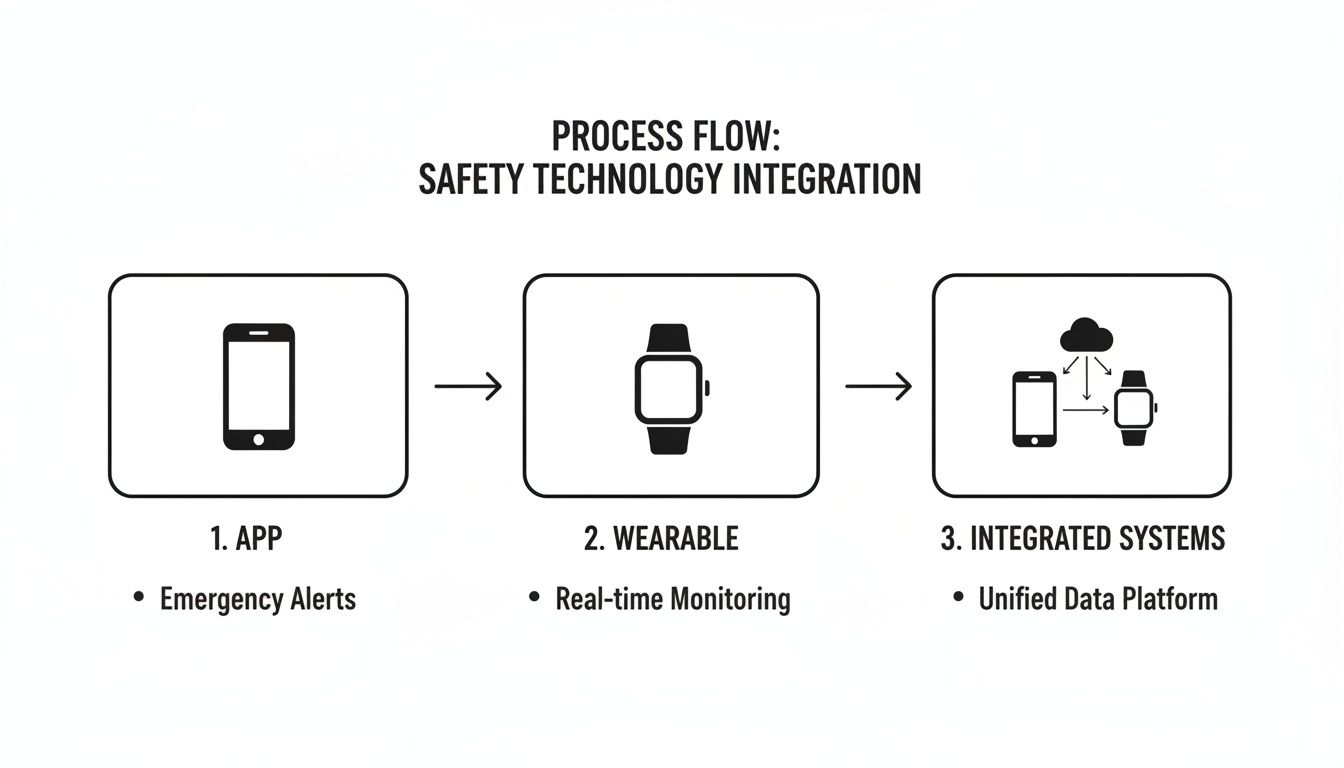
As this shows, it doesn’t matter if the signal comes from a lone worker’s smartphone app, a wearable fall detector, or an integrated gas monitor. All alerts have to funnel into a single, well-rehearsed workflow.
Building Layered Escalation Chains
A “one-size-fits-all” response is a recipe for disaster. Not every alert is a five-alarm fire, and your protocols need to reflect that reality. The most effective approach I’ve seen is building layered escalation chains that automatically route alerts to the right people, in the right order.
Think of it as a response pyramid. An alert starts at the base, and if it’s not acknowledged, it quickly climbs the pyramid to people with more authority.
Here’s how that looks in the real world for a lone utility worker maintaining a remote substation at night:
- Layer 1 (Automated Nudge): The worker misses a scheduled 1:00 AM safety check-in. The system immediately sends an automated push notification and text message back to the worker’s device. At the same time, it logs the event at the 24/7 monitoring center.
- Layer 2 (Supervisor Loop-In): After three minutes with no response, the system automatically calls and texts the on-duty field supervisor. The message includes the worker’s name, job site, and last known GPS coordinates.
- Layer 3 (Team & Emergency Dispatch): If the supervisor can’t get a response within five minutes, the monitoring center kicks into high gear. They dispatch the nearest crew for a physical welfare check and contact local emergency services, providing them with precise location data and site access information.
This tiered method handles a simple missed tap on a phone without overreacting, but it also ensures a genuine emergency gets an immediate, full-scale response. It builds in redundancy, so if one person is unreachable, the chain of command never breaks.
The Role of a 24/7 Monitoring Center
While internal notifications to supervisors are essential, nothing beats a professional 24/7 monitoring center. These aren’t just call centers; they are command posts staffed by trained agents whose only job is to manage emergencies.
An automated text to a busy manager at 3 AM is easily missed. A direct call from a trained emergency agent who says, “We have a man-down alert for your employee, John Doe, at substation 12B,” gets immediate attention.
These professionals are your lifeline. They can:
- Maintain live contact: If possible, they stay on the line with the worker, gathering critical intel for first responders.
- Filter out false alarms: They are experts at quickly verifying if an alert was accidental, preventing unnecessary and costly emergency dispatches.
- Provide crucial context: They relay the worker’s pre-loaded medical information, specific site hazards (like chemical exposure risks), and access codes to first responders, saving precious time.
This turns a simple digital alert into a fully managed incident, dramatically improving outcomes. Modern safety platforms, like Gameo Pro, are designed to integrate these 24/7 services seamlessly, creating a direct link between your workers and professional help.
Customizing Protocols for Different Alert Types
Finally, your escalation plan has to be smart enough to distinguish between different types of alerts. A robust safety system lets you build unique workflows for every signal your devices can send.
Here’s a quick look at how you might customize those protocols:
| Alert Type | Initial Response | Escalation Path |
|---|---|---|
| SOS/Panic Button | Instantaneous alert to the 24/7 monitoring center and site supervisor. | Immediate dispatch of emergency services, no delays. |
| Man-Down (Fall) | 30-second pre-alarm on the user’s device, allowing them to cancel a false alarm. | If not canceled, follows the same urgent path as an SOS. |
| Missed Check-In | Automated reminders are sent to the user’s device. | If no response, notify the supervisor. Escalate further to the monitoring center after a set time (e.g., 10 minutes). |
| No-Motion | A 60-second pre-alarm on the device with an audible tone and vibration. | If not canceled, follows the missed check-in path but is flagged with higher urgency. |
By tailoring the response to the specific alert, you deploy your resources intelligently. This level of detail is what transforms a reactive safety gadget into a proactive, life-saving system. It’s all about building reliable, step-by-step procedures that guarantee a fast, structured reaction when every second counts.
Driving Adoption and Onboarding Your Team
Let’s be honest: you can have the most sophisticated safety system in the world, but if your team doesn’t use it, it’s just expensive decoration. Getting people on board is much more than just sending out a memo. For any safety monitoring program to actually work, your crew needs to see it as a lifeline, not a leash.
This isn’t about forcing compliance. It’s about building a culture where technology is a trusted partner in keeping everyone safe. Here’s how you make that happen.
From Big Brother to Personal Lifeline
The number one obstacle you’ll face is the “Big Brother” fear. The moment you mention tracking, people get nervous. Your first, most critical job is to get out in front of this with complete and total honesty.
Be crystal clear about what the system does and, just as importantly, what it doesn’t do. Explain that location is only noted during work hours, or in most modern systems, only shared when a safety alert is actually triggered. The goal is to frame it for what it is: a digital safety net designed to get them help faster than ever before.
A Quick Story: When we helped a large facilities management company roll out their new system, we started every single training session by addressing privacy. We literally pulled up the manager’s dashboard and showed the team exactly what their supervisors could see—and what they couldn’t. It was all about safety status, not a minute-by-minute log of their movements. That single act of transparency did more to earn their trust than anything else we did.
Create Safety Champions and Practical Training
Don’t try to do all the convincing yourself. Look for those respected, tech-savvy people on your teams and ask them to be “safety champions.” A recommendation from a trusted peer is always more powerful than a directive from the main office. These champions can become your on-the-ground experts, answering questions and showing others how the system works in the real world.
When it comes to training, get them out of the classroom and get their hands on the tools. Forget the long PowerPoint decks. To make the learning stick, you should apply proven instructional design principles that focus on practical application.
-
Keep Onboarding Dead Simple: The best systems are the easiest to start using. We’ve seen incredible results with simple QR code onboarding. A worker scans a code with their phone, and the app is instantly activated and configured. No IT support calls, no friction.
-
Run Realistic Drills: Theory is one thing, but muscle memory is another. Run short, frequent safety drills. Have a lone worker trigger a “man-down” alert or intentionally miss a check-in. Let the team see the escalation process kick in, from the initial notification to the supervisor getting the call. This proves the system works when it matters most.
A Real-World Success Story
A client of ours, a national facilities management company, was stuck with dismal adoption rates for their old safety platform. By rethinking their approach, they hit 99% adoption in just three months.
Here’s their simple but effective playbook:
- They empowered their people. They hand-picked one experienced technician from each regional team to be a safety champion and lead the rollout.
- They made it effortless. They switched to a system with QR-code setup, which let every single employee get up and running in less than two minutes.
- They showed, they didn’t just tell. During a team meeting, they triggered a live SOS alert. Everyone watched on the main screen as the 24/7 monitoring center responded in real-time, calling the supervisor and initiating the response protocol. Seeing was believing.
This simple combination of peer leadership, ease-of-use, and a live demonstration completely changed the conversation. It was no longer a corporate mandate; it was a personal safety tool everyone wanted. That trust is the bedrock of a truly effective safety culture.
Using Data for Compliance and Continuous Improvement
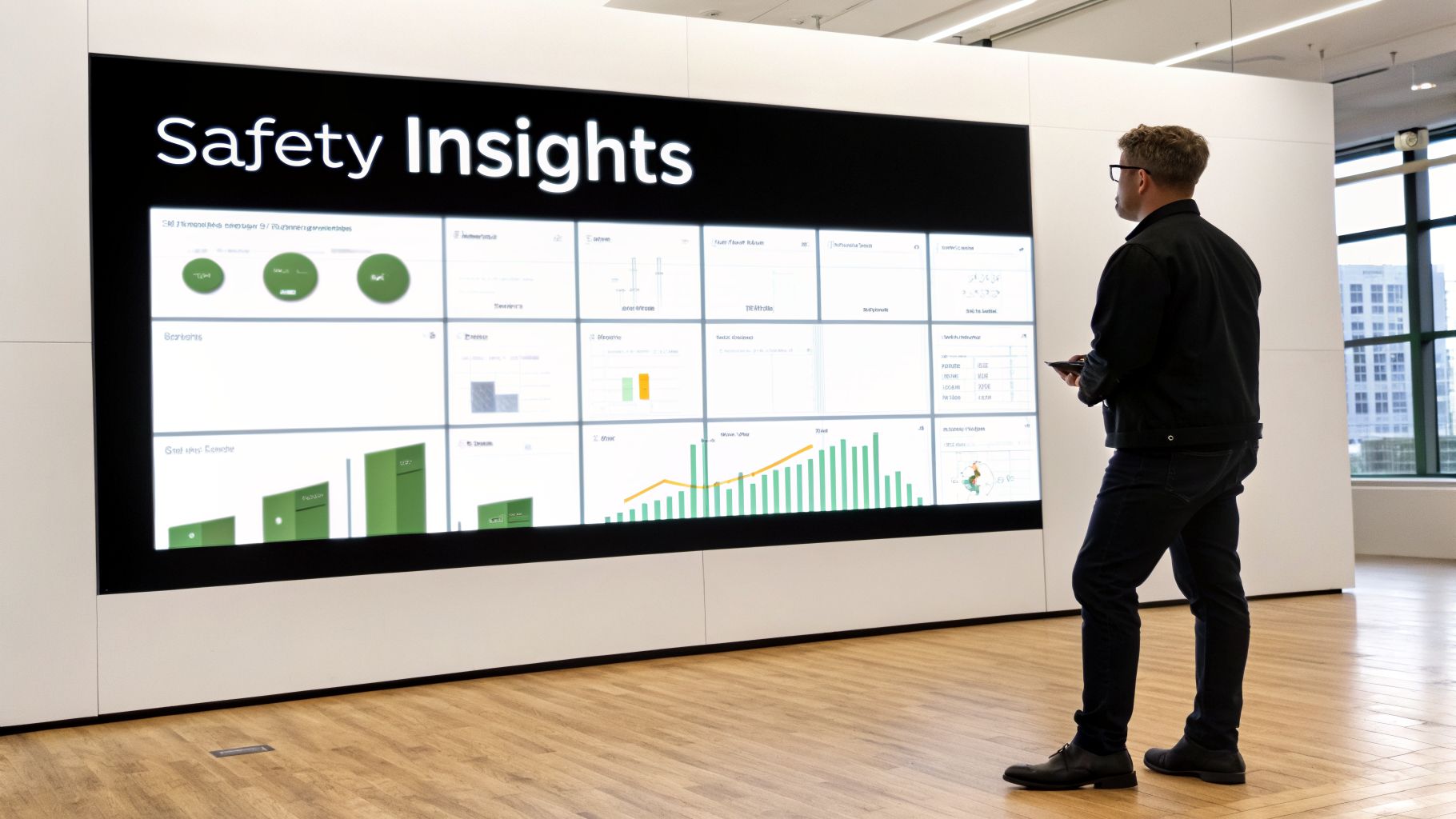
A modern program to monitor a safe workplace isn’t a binder of rules you dust off once a year. It’s a dynamic, living system that gets smarter over time. The data flowing from your safety tech—from alert response times to near-miss patterns—is what makes this possible. It’s how you move from simply reacting to incidents to actively predicting and preventing them.
This shift in mindset is everything. It’s how you truly elevate your duty of care, using hard evidence to build a safer environment for your people day in and day out.
From Raw Data to Actionable Insight
Every alert, missed check-in, and fall detection tells a piece of a larger story. Your first job is to bring all those pieces together. If that data is stuck in different spreadsheets or email chains, it’s practically useless. A centralized dashboard is non-negotiable.
Once it’s all in one place, the data becomes your ground truth. You can stop guessing and start making decisions based on what’s actually happening in the field.
Think about it this way: you notice a sudden spike in “no-motion” alerts from a crew working on a specific utility line every Tuesday afternoon. That’s not just a random blip. It’s a clear signal to investigate that crew’s specific Tuesday workflow. Is there a new, complex procedure they’re performing? Are they working near a previously unidentified hazard? The data points you to the right questions.
The goal is to make your safety data work for you, not just sit there. I’ve seen companies reduce minor injuries by over 20% in a year just by analyzing alert patterns quarterly and making small operational tweaks based on what they found.
Making Compliance and Reporting Effortless
Meeting standards from regulators like OSHA or the UK’s RIDDOR is a given, but the paperwork can be a nightmare. This is where your safety monitoring system delivers a massive win: automated, audit-ready reporting.
Instead of spending hours manually compiling incident logs and response times, a good system does the heavy lifting for you. With just a few clicks, you should be able to pull a detailed report for any incident, showing:
- The exact time and GPS location of the initial alert.
- The complete, time-stamped escalation chain—who was notified and when.
- The final resolution and any notes from the response team.
This not only frees up hundreds of administrative hours but also gives you accurate, consistent documentation that will stand up to scrutiny. As you handle this information, remember your responsibilities. Our article on protecting lone worker data is a great resource for navigating the ethical and legal lines.
Finding Trends for Long-Term Improvement
Compliance is just the starting line. The real value of your data is its power to uncover hidden risks and trends before they cause a serious injury. This is how you build a truly resilient safety culture.
The scale of the problem this helps solve is huge. In the UK, recent data from 2025 showed 1.9 million workers suffering from work-related ill health—an alarming 11.8% annual jump. This resulted in 40.1 million lost workdays and cost the economy a staggering £22.9 billion. As one expert analysis of recent HSE figures points out, these numbers highlight a massive gap in proactive care that data-driven systems can help close.
To get started, you can follow a simple, repeatable cycle to turn your safety data into measurable improvements.
This straightforward process shows how to systematically use your data for good.
Data-Driven Safety Improvement Cycle
| Step | Action | Example |
|---|---|---|
| Collect | Gather real-time data from all safety devices and inputs into a central dashboard. | All SOS alerts, check-ins, and no-motion flags are logged with location and timestamps. |
| Analyze | Review data dashboards to identify patterns, hotspots, and anomalies. | You notice that 75% of missed check-ins occur during the last hour of a shift. |
| Investigate | Drill down into high-risk patterns to understand the root cause. | After speaking with supervisors, you learn that end-of-shift fatigue is the primary factor. |
| Act | Implement a specific, targeted intervention to address the root cause. | You introduce a mandatory 15-minute break before the final hour of physically demanding shifts. |
| Measure | Track the same metric after your intervention to confirm its effectiveness. | After one month, missed check-ins during the last hour have dropped by 60%. |
Following this cycle turns your safety program from a passive requirement into an active, intelligent part of your daily operations. It’s the best way to learn from every event—big or small—to consistently monitor a safe workplace and protect your most valuable asset: your people.
Answering Your Top Questions on Workplace Safety Monitoring
If you’re a manager looking into safety monitoring, you’ve probably got a dozen questions running through your mind. It’s a big step. How do you get the team on board? What technology actually works in the field? Does it really help when things go wrong? Let’s get into the nitty-gritty and tackle these common concerns head-on.
How Do We Get Our Field Team to Actually Use a Lone Worker Safety App?
Getting adoption isn’t about mandates; it’s about making the tool genuinely useful and incredibly simple. Think about it: a new process sticks when it’s easier than the old way. Start with an app that activates with something as simple as a QR code scan at the start of a shift.
The key is to frame it as their personal safety net—a “digital buddy”—not Big Brother. Be radically transparent. You need to sit down with your team and show them exactly what the app does and, more importantly, what it doesn’t do. Explain precisely when location data is shared—for example, only during an active shift, or better yet, only when an actual alert is triggered.
Finally, make it muscle memory. Run quick, informal drills. When using the app becomes as automatic as grabbing your hard hat, you know you’ve succeeded.
What’s Better: A Smartphone App or a Dedicated Wearable Device?
This isn’t a battle of which is “better” overall, but which is the right tool for a specific person and their work environment. For the vast majority of lone workers—think field sales, mobile healthcare staff, or real estate agents—a smartphone app is the clear winner. It’s cost-effective and it’s on a device they already carry and know inside and out.
But a phone isn’t always the right answer. In some situations, it’s a non-starter.
- Hazardous Zones: Anyone working in ATEX/IS zones needs a certified, non-sparking wearable. It’s not a choice; it’s a requirement.
- Tough Conditions: For someone in a wet processing plant or a mechanic wearing heavy gloves, fumbling with a smartphone screen is impractical. A rugged, one-button device is what they need.
The smartest approach is finding a flexible platform that supports both. That way, you can give each employee the right tool for their specific risks while managing everyone from one central system.
I’ve seen it time and again: the biggest mistake is trying to force a one-size-fits-all solution. When you give someone a tool that fits their workflow, adoption isn’t an issue because the tech is helping, not hindering.
Can a Monitoring System Really Reduce Incident Response Times?
Without a doubt. But there’s a catch. The system has to be more than just a glorified notification app on a supervisor’s phone. A simple alert is a start, but it’s not a solution.
Real, life-saving speed comes from an integrated system that connects a worker in distress directly to a professional response. This means combining automatic detection for things like falls or no-motion with a dedicated 24/7 professional response team.
When a serious alert goes off, an advanced system doesn’t just send a text. It instantly provides the monitoring agent with a precise GPS location, identifies the closest on-site colleague who can help, and gives them clear, step-by-step instructions. This is how you turn a chaotic emergency into a structured, fast, and effective rescue.
Our Workers Are Often in Areas With No Cell Signal. How Can We Monitor Them?
This is a huge—and valid—concern for anyone with teams in remote or rural areas. The good news is that modern technology has caught up. Many advanced safety apps now include an “off-grid alert” feature. If a worker hits the SOS button without a signal, the app stores the alert and its location data, then sends it the very second it reconnects to any network.
For true, go-anywhere coverage, you need satellite technology. Satellite-enabled wearables or small communicators can pair with a smartphone app. This setup allows them to send an SOS signal using global satellite networks, completely bypassing the need for cellular service. It ensures that even when your people are completely off the grid, they are never out of reach.
With Gameo Pro, you can equip your entire team with a flexible, powerful safety net that works everywhere. From simple QR-code onboarding to 24/7 emergency response and satellite connectivity, our platform is designed to help you monitor a safe workplace and protect your people, no matter where their job takes them. Discover how we can help at https://gameosafety.com.